 Mandarin Mosaic
Free on iPhone, iPad and Android.
Download on theApp Store Get it onGoogle PlayYour first month of Premium is free.
How Spaced Repetition Works in Mandarin Mosaic

Mandarin Mosaic keeps track of every Chinese word you know and brings each one back for review just before you're likely to forget it. This guide explains how that scheduling works, how to do your reviews, and which settings to change if reviews feel too many or too few.
What is spaced repetition?
Spaced repetition means reviewing something at growing intervals: soon after you learn it, then after a few days, then after weeks or months. Each successful review makes the memory last longer, so words you find hard come back often and words you know well hardly take up any time. It works because memory fades in a predictable way, described by the forgetting curve. For the research behind it, read what spaced repetition is and why it works.
How Mandarin Mosaic schedules your words
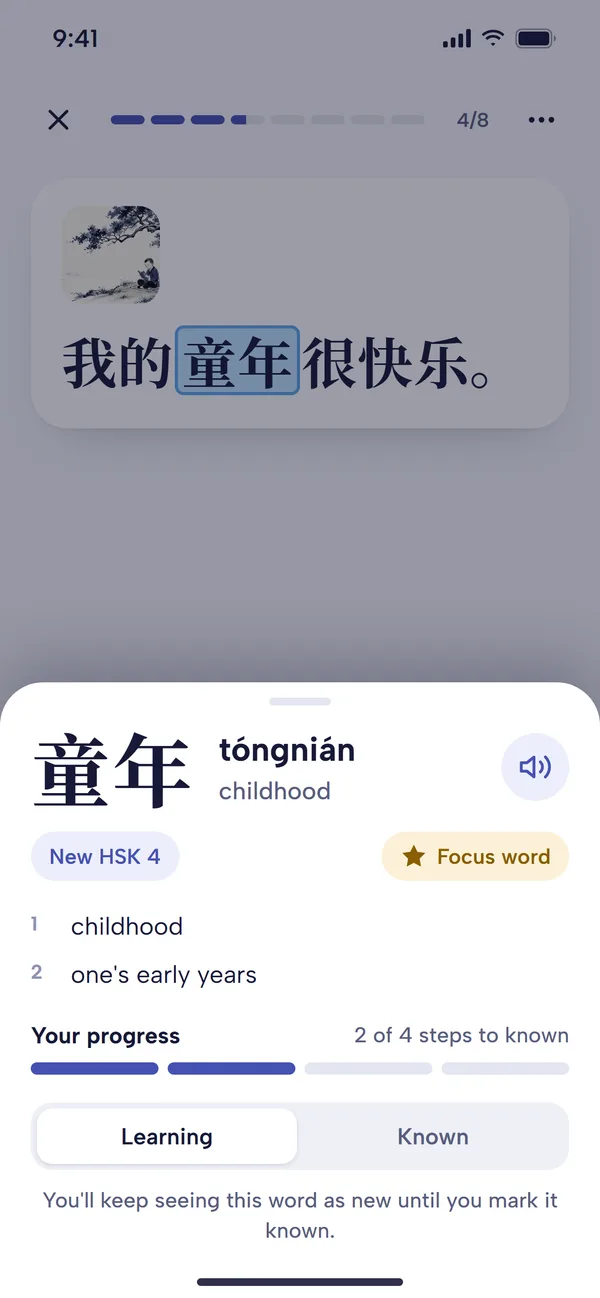
- Your starting level. When you first open the app you choose your level, from No Chinese up to HSK 6, and the common words up to that HSK level are marked as known.
- New words become known. Answer a new word correctly in a lesson three times (you can change this under Guesses to mark as known in Settings) and it becomes Known. From then on it has a review date.
- Correct answers stretch the gap. Each time you get a known word right, its next review moves further away.
- Seeing a word counts a little. When a known word appears in any sentence you study, that counts as a light review and nudges its next review date back slightly.
- Mistakes bring it back sooner. Get a known word wrong and it stays Known but returns sooner. It isn't reset to the beginning.
- You can take a word out. Tap a word and switch it to Learning if you've forgotten it. It's treated as a new word again until you relearn it.
Because Mandarin Mosaic reviews words rather than cards, you meet each word in a fresh sentence instead of memorising one flashcard: the big advantage of combining spaced repetition with sentence mining.
How to do your reviews
- From Home, tap Lessons. Under Review Lessons, the Words to review tile shows how many words are due.
- Tap it. The first time, a short How reviews work guide appears; tap Start review.
- The Lesson Preview lists the words that will be blanked. Tap Start lesson to begin.
- Each sentence features one word that's due, and that word is the blank. Choose or type the answer and tap Check, as in any other lesson.
- Keep going until the count reaches zero, or you reach your daily limit.
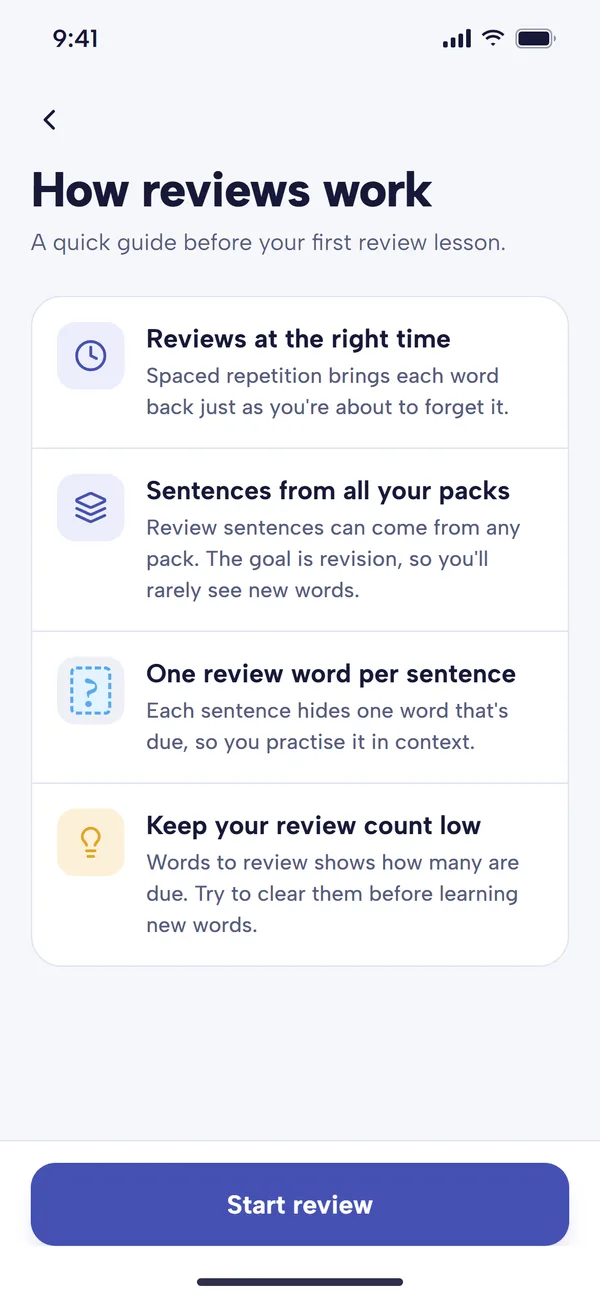
How reviews work appears before your first review. 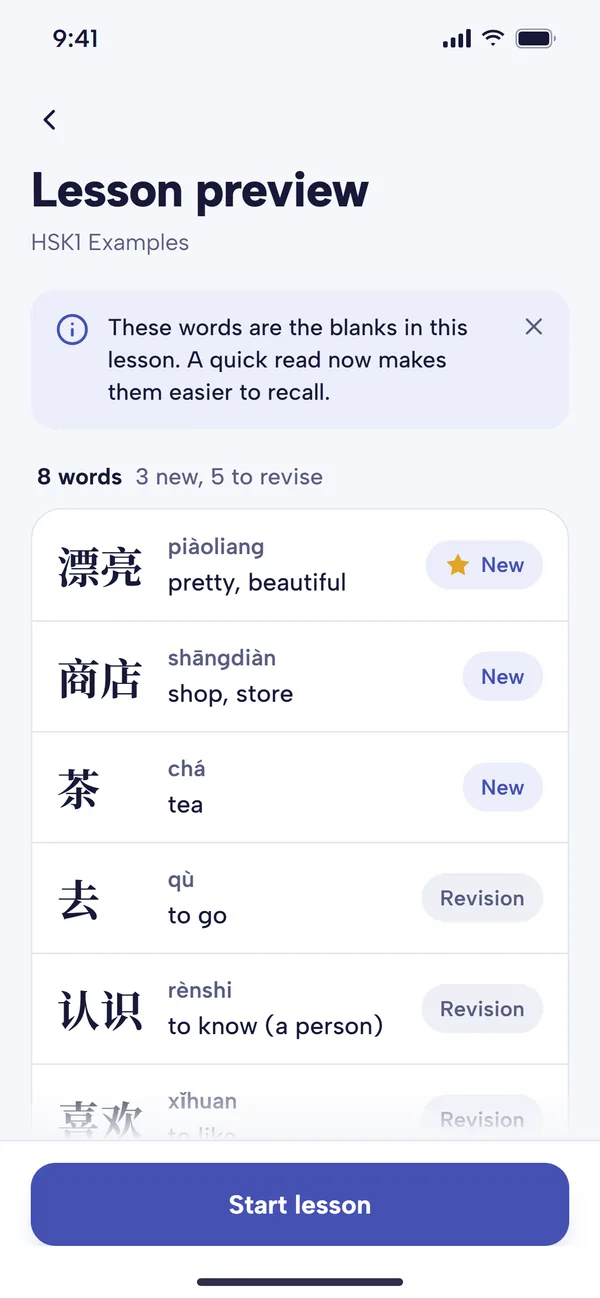
The Lesson preview lists the words you'll meet as blanks. 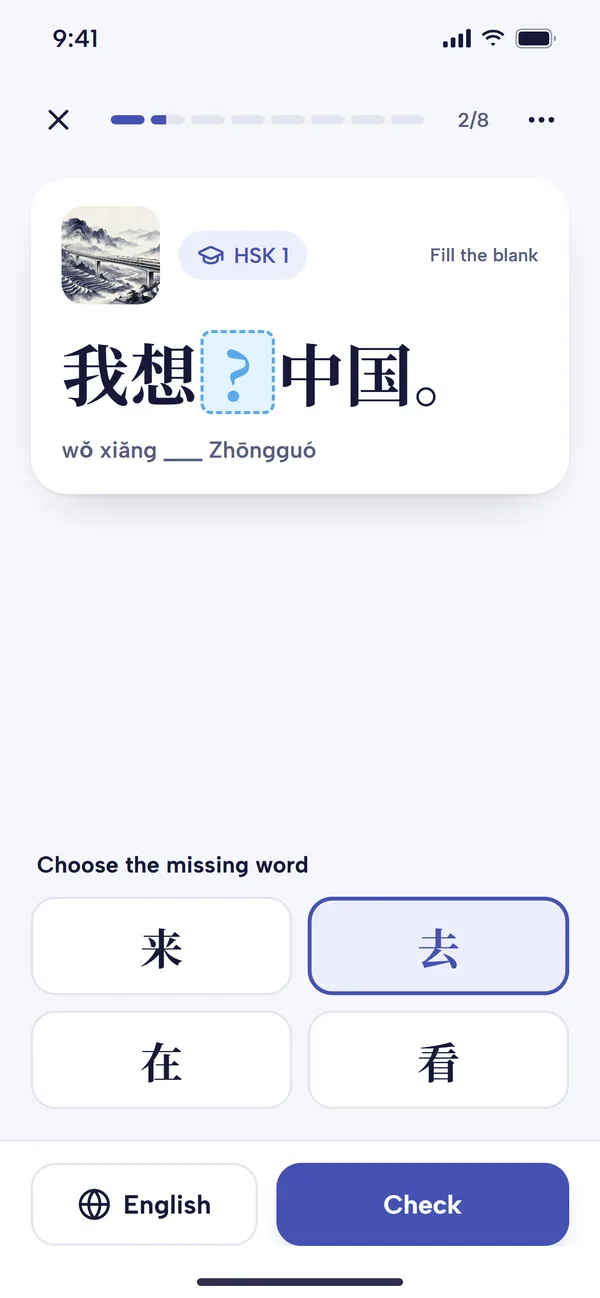
Each due word is the blank in a fresh sentence.
Review sentences can come from any of your packs, so you'll rarely meet new words in them. Try to clear your reviews before starting new lessons.
On the default lesson screen, review words aren't highlighted in a special colour; the word you're reviewing is simply the blank. In Free reading, where nothing is blanked, the review word is highlighted in the sentence instead.
Word Review settings
Tap the three dots on the Words to review tile to open the Word Review screen. The banner at the top shows how many words are due, and it updates as you change the settings below, so you can see the effect straight away. Changes apply as soon as you make them.
What gets reviewed
- Categories: only review words and sentences from lessons in the categories you tick.
- Minimum difficulty: choose All words, or skip easy words with an option such as "HSK3 and above".
- Stick to lessons I've started: only use sentences from packs you've already opened, so words from lessons ahead of you don't turn up. It's on by default for new accounts.
How often they come back
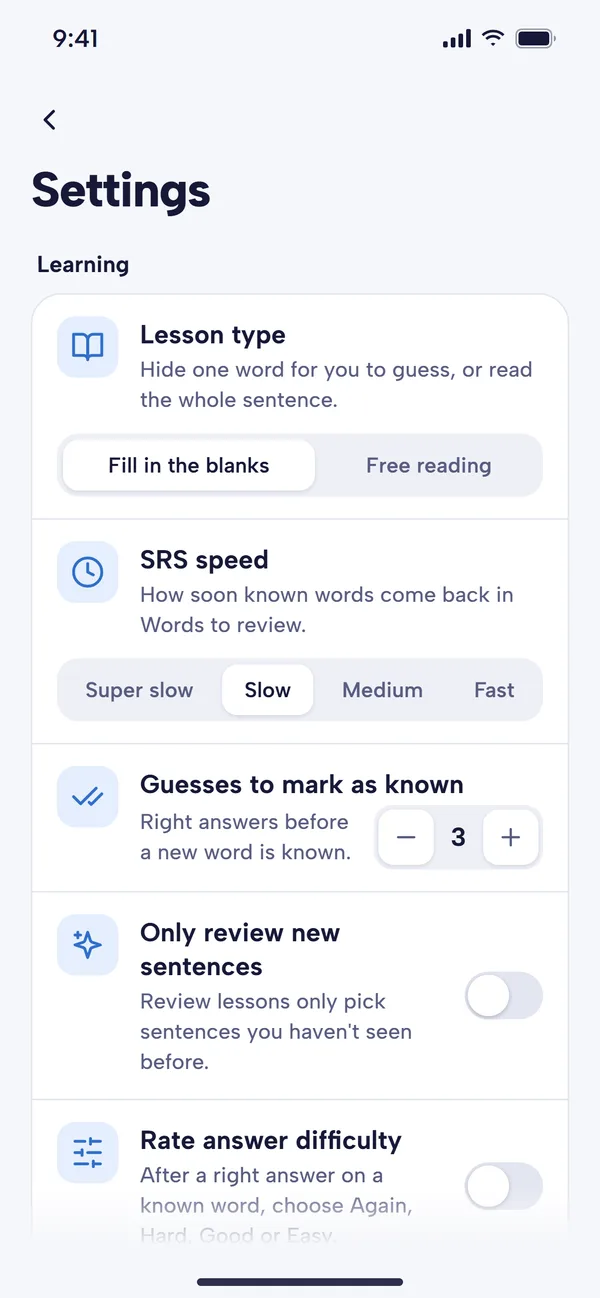
- Review speed: Super slow, Slow, Medium or Fast. The default is Slow. Faster speeds bring words back sooner, so you'll have more reviews. This is the same setting as SRS speed in the main Settings, and changing it recalculates the review dates of words you already know.
- Daily limit: Unlimited (the default), or a cap of 10, 15, 20, 25, 30 or 50 words a day, so you can finish and stop. The tile then says "Up to 20 words a day", for example. If the cap is too low to keep up with the words falling due, the screen warns you.
- Scheduling method: the algorithm behind the intervals:
- Default: our own scheduler. Words come back soon after you learn them, then less and less often as you keep getting them right.
- SM-2 (SuperMemo): the classic method behind older versions of Anki; each correct answer multiplies the gap.
- FSRS: a modern memory-model scheduler that aims to show each word just as you're about to forget it.
- HLR / DASH: estimates how long each word stays in your memory and reviews it just before then.
- SSP-MMC: aims to keep words learned with the fewest reviews, best for a very large vocabulary.
- Leitner: a simple box system.
You can switch methods at any time. If you don't have a favourite, the Default method works well.
Order and answering
- Review order: Oldest first (the default) reviews your focus words and your most overdue words first. You can also choose Random, Word frequency (most common words first), Hardest first or Newest first.
- Rate answer difficulty: off by default. Turn it on and, after a correct multiple-choice answer on a known word, you rate it Again, Hard, Good or Easy. Each button shows when the word will come back.
Other settings
- Only review new sentences (Settings, Learning): review lessons only use sentences you haven't seen before.
- Reset words to review (Settings, Reset): clears your review queue. A daily limit is usually the better fix for a backlog.
Which review speed should you choose?
It depends on how much time you have. If you're busy and want the fewest reviews that will keep your vocabulary, choose Super slow. If your review count is already low and you'd like more reinforcement, move up to Medium or Fast. Faster speeds help with rarer words that you don't meet often in sentences, such as Chinese idioms (chéngyǔ).
Extra practice for particular words
To practise a word more than the schedule allows, add it as a focus word. Focus words get their own lesson and priority in Words to review.
Free plan and Premium
Spaced repetition and all the Word Review settings are available on every plan. At the time of writing, the free plan allows one lesson a day, and a Words to review lesson counts as that lesson, so on the free plan it's worth making your daily lesson a review lesson whenever words are due. Premium gives unlimited lessons and syncs your review schedule between devices.
Tips for keeping reviews under control
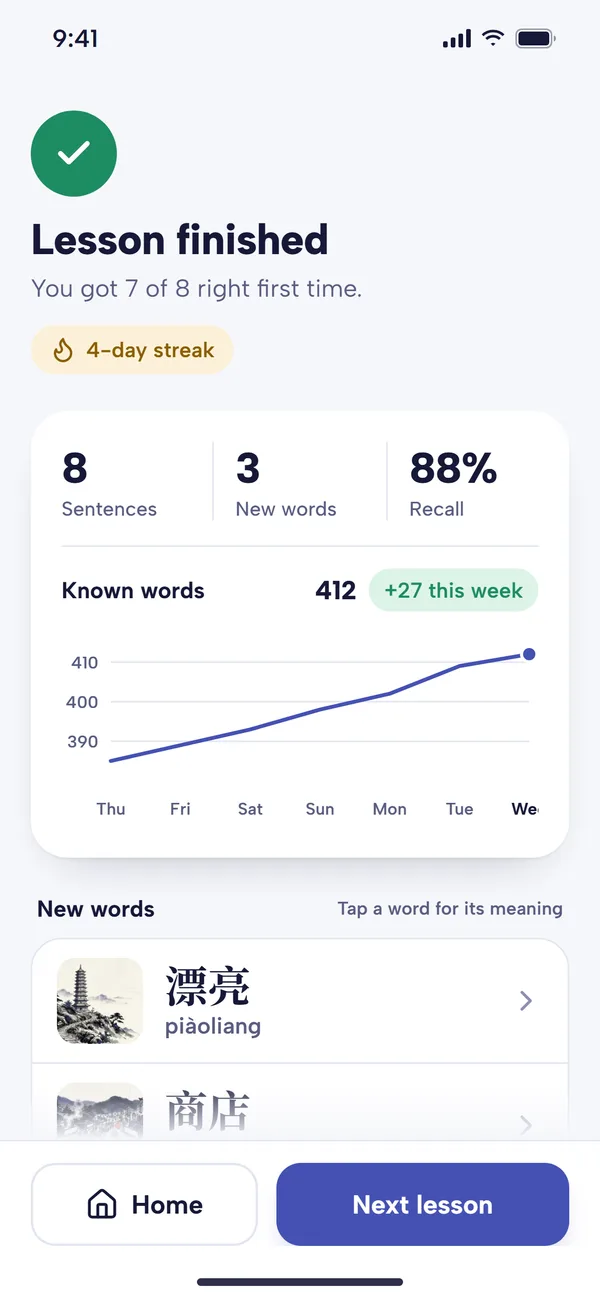
- Review first, then learn. Every new word you learn adds to future reviews.
- Set a daily limit rather than skipping days.
- Keep Learning and Known honest. If you realise you've forgotten a word, switch it to Learning so it's taught again properly.
- Raise the minimum difficulty if reviews are full of words you find too easy.
Common questions
Why do I have so many words to review?
Usually because you set a high starting level, or you've had a few days off. Set a daily limit, raise the minimum difficulty, or choose a slower review speed.
Why is my review count zero even though I know lots of words?
Words only appear when they're due and when a suitable sentence is available. If you've ticked only a few categories, or turned on Stick to lessons I've started, fewer sentences qualify.
Can I use FSRS like in Anki?
Yes, choose FSRS under Scheduling method. It isn't an exact copy of Anki's FSRS with its personalised settings: like every method here, it follows the shape of the FSRS schedule using Mandarin Mosaic's record of how well you know each word.