 Mandarin Mosaic
Free on iPhone, iPad and Android.
Download on theApp Store Get it onGoogle PlayYour first month of Premium is free.
How Cloze Tests Work in Mandarin Mosaic
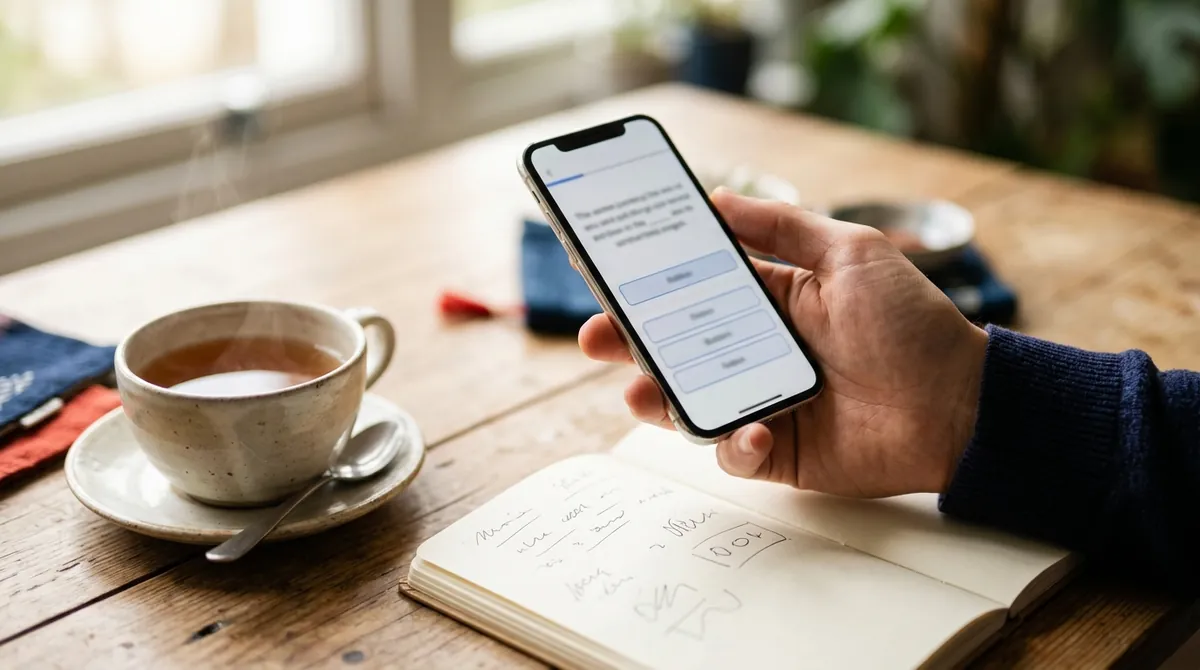
A cloze test is a sentence with one word taken out. You read the rest of the sentence and work out which word fills the blank. In Mandarin Mosaic this is the default lesson type, called Fill in the blanks, and it's where most of your learning happens.
This guide explains how to answer a cloze, how to choose the blank in your own sentences, how the app decides which word to hide, and the settings that change how it works.
How to answer a cloze in a lesson
- Read the whole sentence first. The blank is a dashed box with a question mark, and the pinyin underneath shows it as a gap.
- Tap any other word in the sentence to see its pinyin, meaning and audio. Tap English if you need the translation; it takes the place of the pinyin.
- Under "Choose the missing word" are four answer choices. Tap the one you think fits, then tap Check.
- The result appears straight away in a panel at the bottom of the screen: Correct in green, or Not quite in red, which shows the right word with its pinyin and meaning and, underneath, the word you chose. The answer is filled into the sentence and the English is shown after you answer.
- The panel also shows whether the word is Learning or Known. Tap the speaker button to hear the sentence, then Continue to carry on.
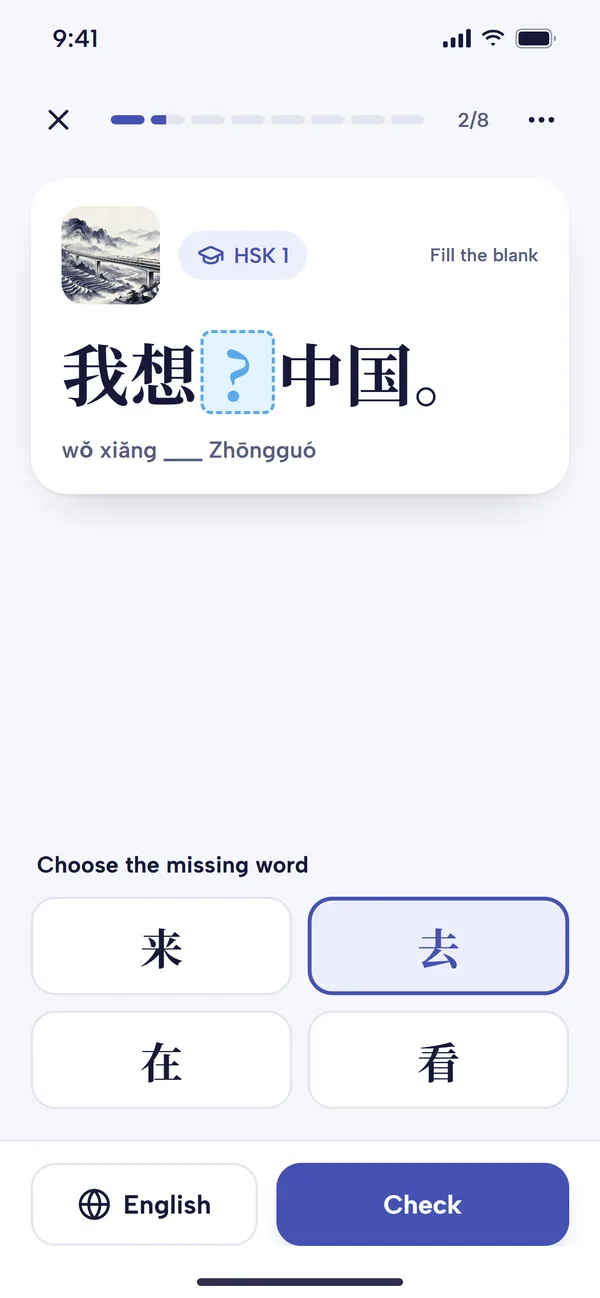
Choose one of the four words under the sentence, then tap Check. 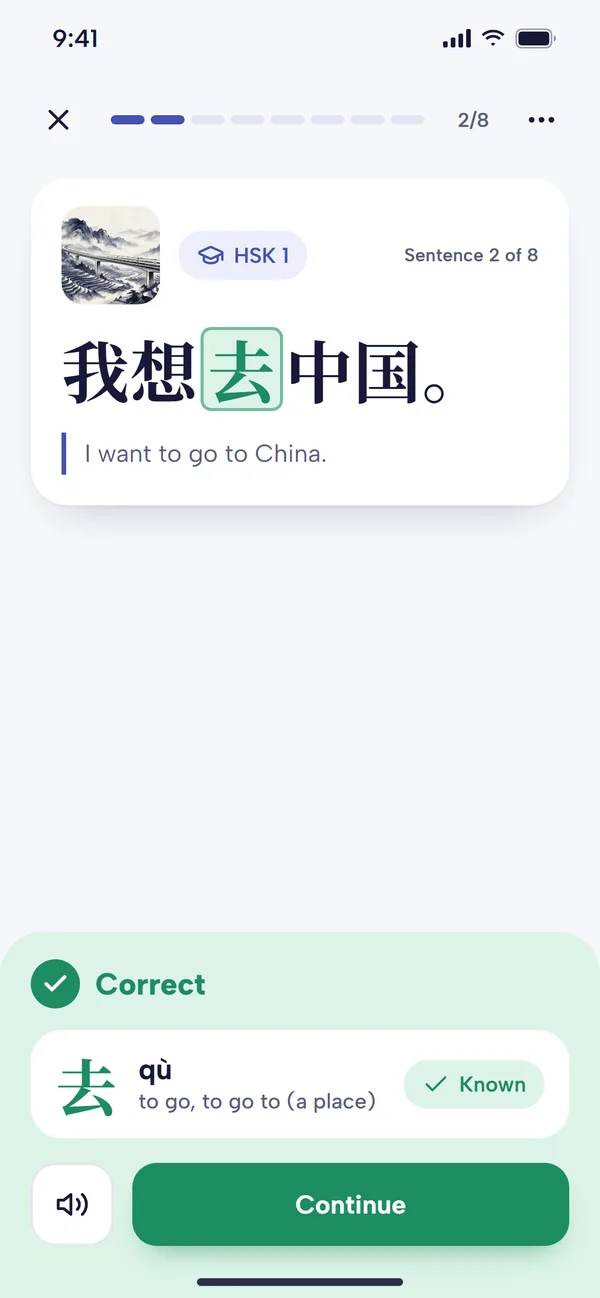
A right answer: the Correct panel shows the word, its meaning and Known. 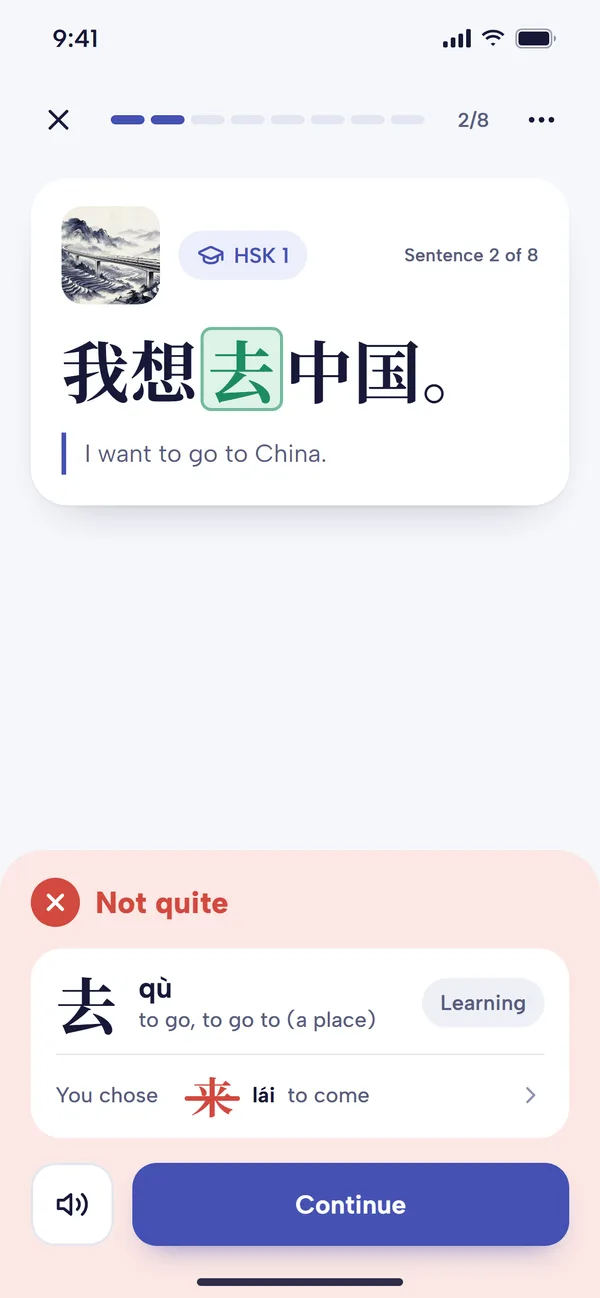
A wrong answer: Not quite shows the right word, then the one you chose.
Choosing the blank in your own sentences
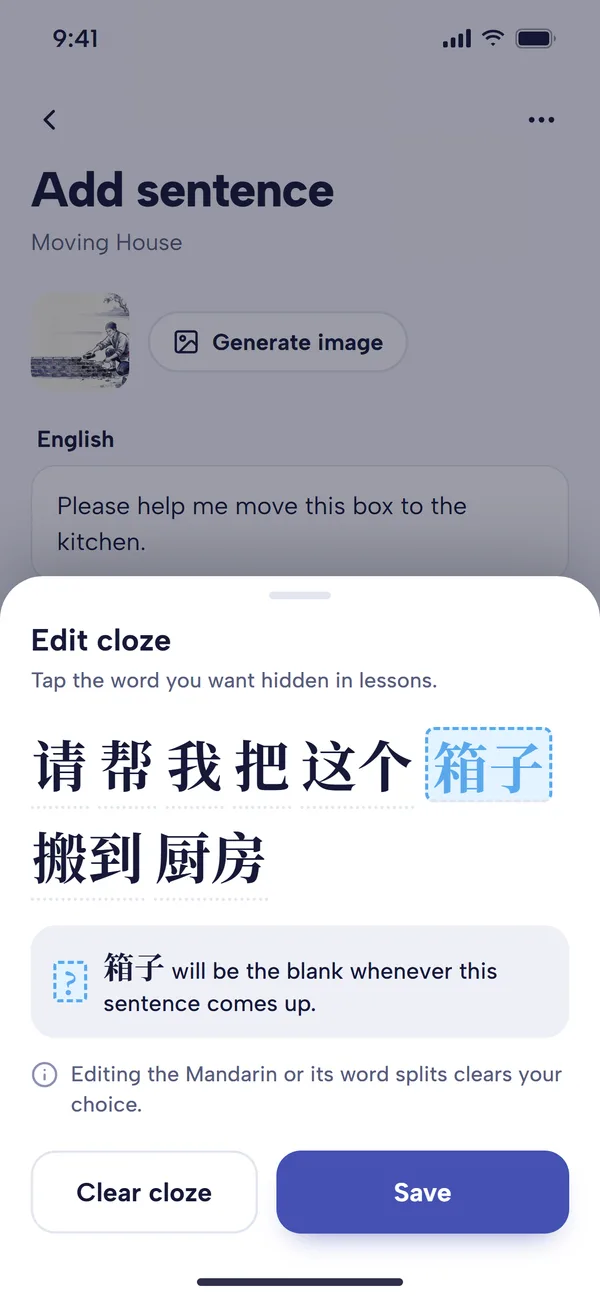
When you add sentences to a custom pack, you can decide which word gets blanked, which is useful when you mined a sentence for one particular word.
- On the Add Sentence screen, enter the Chinese in Mandarin, then tap Set Cloze.
- The Edit cloze sheet shows the sentence split into words. Tap the word you want hidden. Tap Clear cloze if you'd rather the app picked the blank.
- Tap Save. That word will be the blank whenever the sentence comes up in a lesson from your pack.
To change a sentence you've already saved, open Your Packs, tap the three dots on the pack, choose Show Sentences, tap the sentence and choose Edit cloze. Clear cloze removes your choice so the app picks the blank automatically. Editing the Mandarin or its word splitting (Edit Segmentation) clears the cloze, so set it again afterwards.
Why cloze tests work so well for Chinese
A cloze makes you recall a word rather than just recognise it on the page, and that effort is what makes it stick. Because the word sits in a real sentence, you also learn how it's used: which verb goes with it, what comes before and after it. Take this sentence:
他坐__去上班。
tā zuò __ qù shàngbān.
He takes the __ to work.
坐 (zuò, to sit; to travel by) and 上班 (shàngbān, to go to work) narrow the answer down to a kind of transport, so you can reason your way to 地铁 (dìtiě, the metro). Working it out from context is exactly the skill you need for reading real Chinese. Our post on cloze tests for learning Chinese goes into the method in more depth.
Typing your answers instead
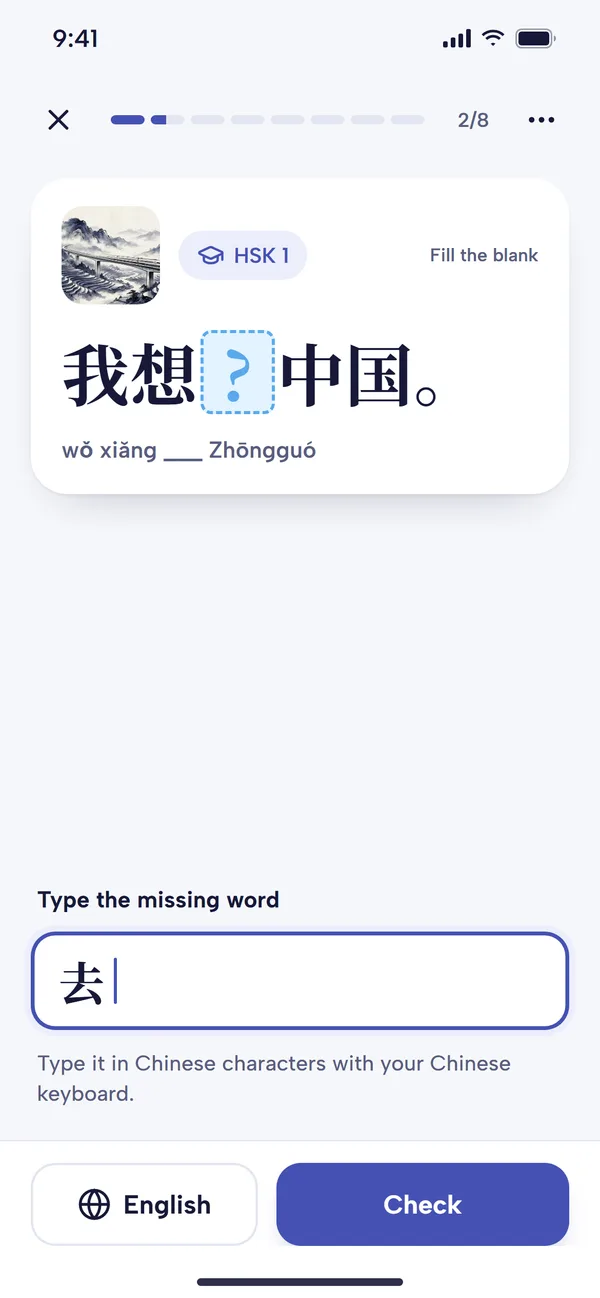
Multiple choice is the default, but you can type answers instead for a harder test. Go to Settings and, under Lesson Screen, turn on Type word answer (it's off by default). A box headed "Type the missing word" then takes the place of the four answer choices. Type your guess for the blanked-out word and tap Check.
You'll need a Chinese keyboard on your phone, and your answer has to be the exact word in Chinese characters; pinyin isn't accepted. Typing is slower, but producing a word from memory is a stronger test than spotting it among four options, so it's worth trying once lessons start to feel easy.
How the app chooses which word to blank
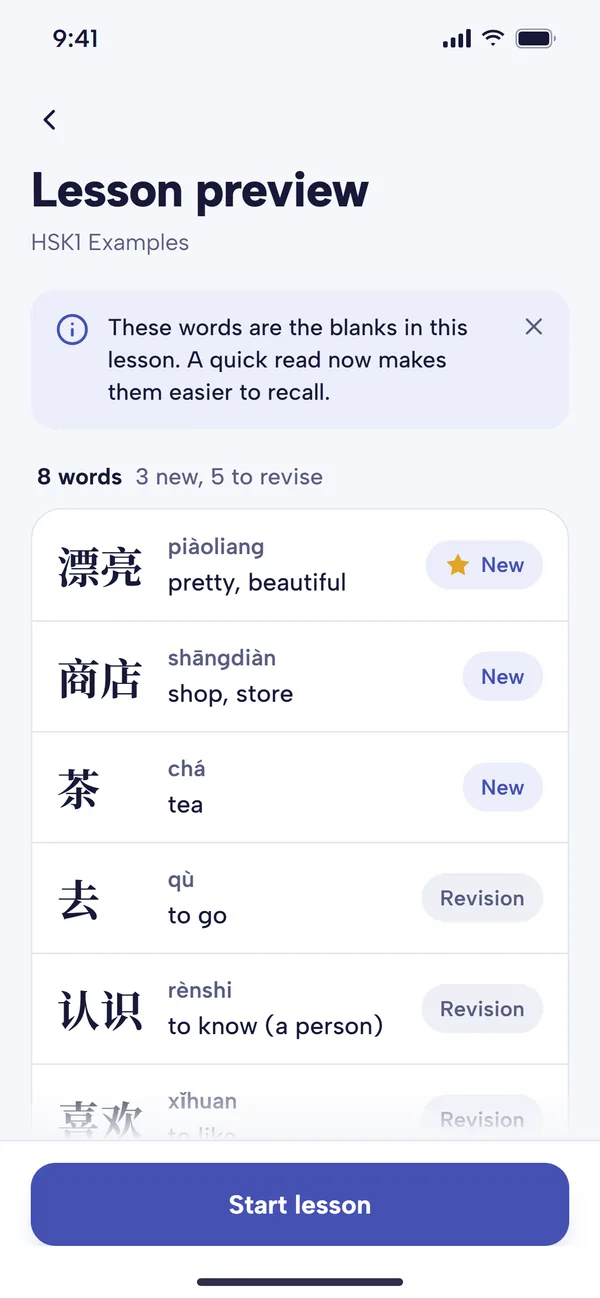
Before each lesson, the Lesson Preview lists the words that will appear as blanks, each marked New or Revision (a gold star marks a focus word). Each word is blanked only once per lesson. The app chooses them like this:
- A cloze you've set yourself is used in lessons from that pack.
- In Words to review and Focus Words lessons, the blank is always the word due for review or your focus word, because that's why the sentence was chosen.
- Otherwise, the app prefers the new word the sentence was chosen to teach, or a word that's due for review. It also tries not to blank a word you've just had as a blank in recent sentences.
The app also takes into account a measure we call word clozability: of the learners who know a word, how often do they get it right when it's blanked in a sentence they haven't seen before? Some words make poor blanks. In 我今天很开心 (wǒ jīntiān hěn kāixīn, I'm very happy today), you'd have no way of knowing whether the missing word was 很 (hěn), 非常 (fēicháng), 真 (zhēn) or 特别 (tèbié), because they all fit. Words with few synonyms usually score well. If the word the app would normally choose has a low clozability score, it sometimes blanks a different word in the sentence instead.
How your answers count
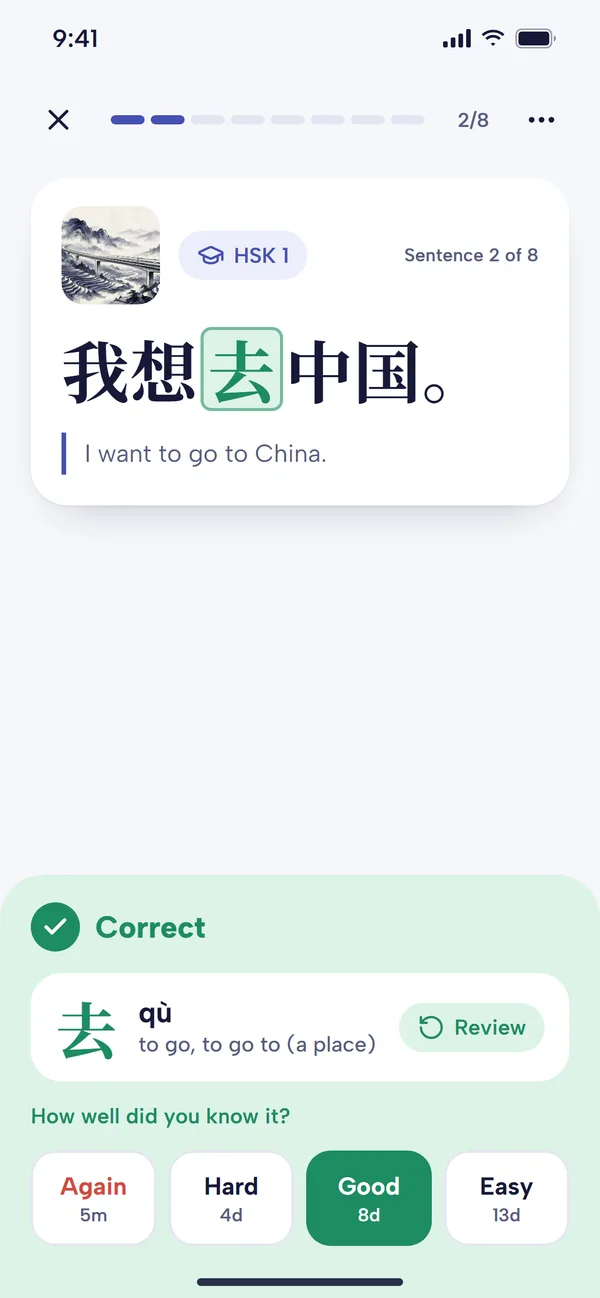
- New words become known after a set number of correct answers, three by default. You can change this from 1 to 10 with Guesses to mark as known in Settings. When a word crosses the line, the answer panel marks it Known.
- Known words are scheduled for review. A correct answer pushes the next review further away. A wrong answer doesn't send the word back to the start: it stays Known but comes back sooner. See how spaced repetition works in Mandarin Mosaic.
- Rate answer difficulty (off by default) adds Again, Hard, Good and Easy buttons after a correct multiple-choice answer on a known word, in place of Continue. Each shows when the word will return, as in Anki, and tapping one moves you on.
Settings that affect cloze lessons
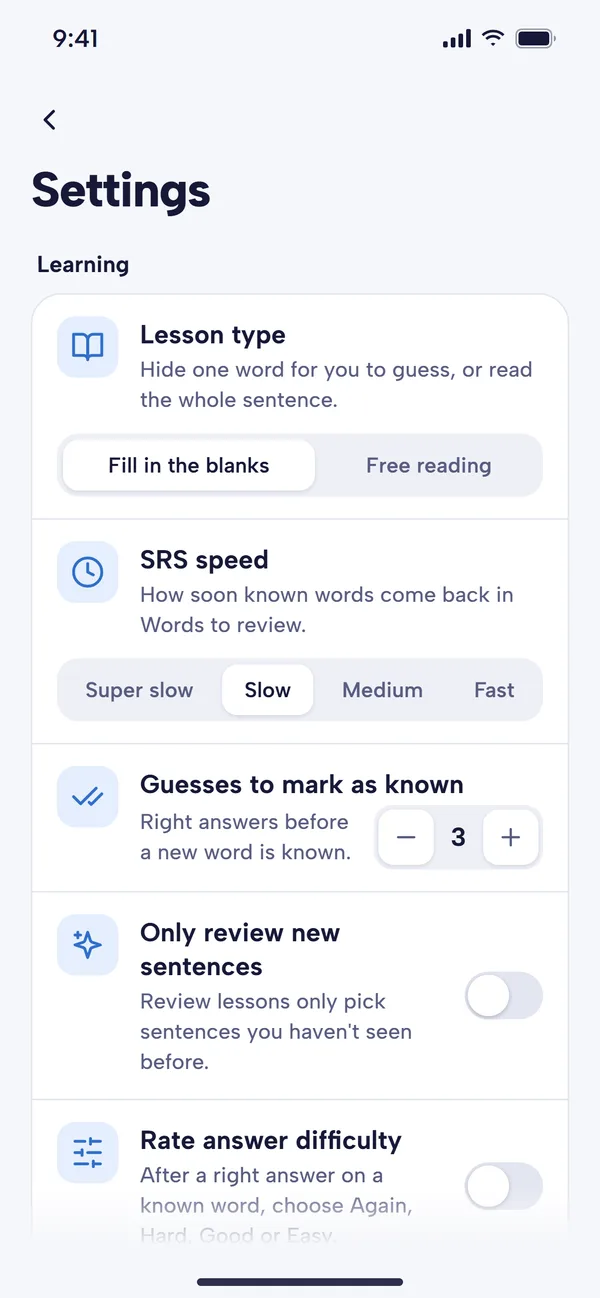
- Lesson type: Fill in the blanks (the default) or Free reading, which shows the whole sentence with no blank.
- Type word answer: type the missing word instead of choosing it.
- Guesses to mark as known: 1 to 10 correct answers, three by default.
- Rate answer difficulty: Anki-style grading for known words.
- Play audio before answering: hear the sentence before you answer, which turns each cloze into listening practice too.
- Show sentence images: show or hide the picture with each sentence.
Free plan and Premium
Fill in the blanks works the same on every plan. At the time of writing, the free plan allows one lesson a day (each lesson has up to 10 sentences), one custom pack and 10 custom sentences, so you can set your own clozes on up to 10 sentences. Premium removes these limits. See pricing for current details.
Tips for getting more out of cloze practice
- Try to answer before you look at the choices. Say the word in your head first, then check it's among the four options. That keeps it a recall test rather than a recognition test.
- Leave English off until you need it. Working from the Chinese alone is better reading practice.
- Look at the Lesson Preview. A quick look at the words before you start gives each one an extra exposure.
- Blank the word you mined the sentence for. When you add your own sentences, use Set Cloze so you practise the word you actually wanted to learn.
Common questions
Why wasn't the new word blanked?
Usually because it scored poorly for clozability, so the app picked a better word in the same sentence. You'll still meet the new word in the sentence, and it will come up as a blank in other sentences.
What if two options both seem to fit?
Occasionally a sentence does allow more than one answer. Use Report Sentence from the menu at the top of the lesson so we can look at it.
Can I switch the blanks off?
Yes. Set Lesson type to Free reading in Settings to read full sentences instead. You'll lose the recall practice, so it's best kept for days when you want a lighter session.