Black Friday: 30% off your first Premium payment until 30 November with code BLACKFRIDAY See the offer
 Mandarin Mosaic
Free on iPhone, iPad and Android.
Download on theApp Store Get it onGoogle PlayYour first month of Premium is free.
Skritter Review (2026): Is It Worth the Price?
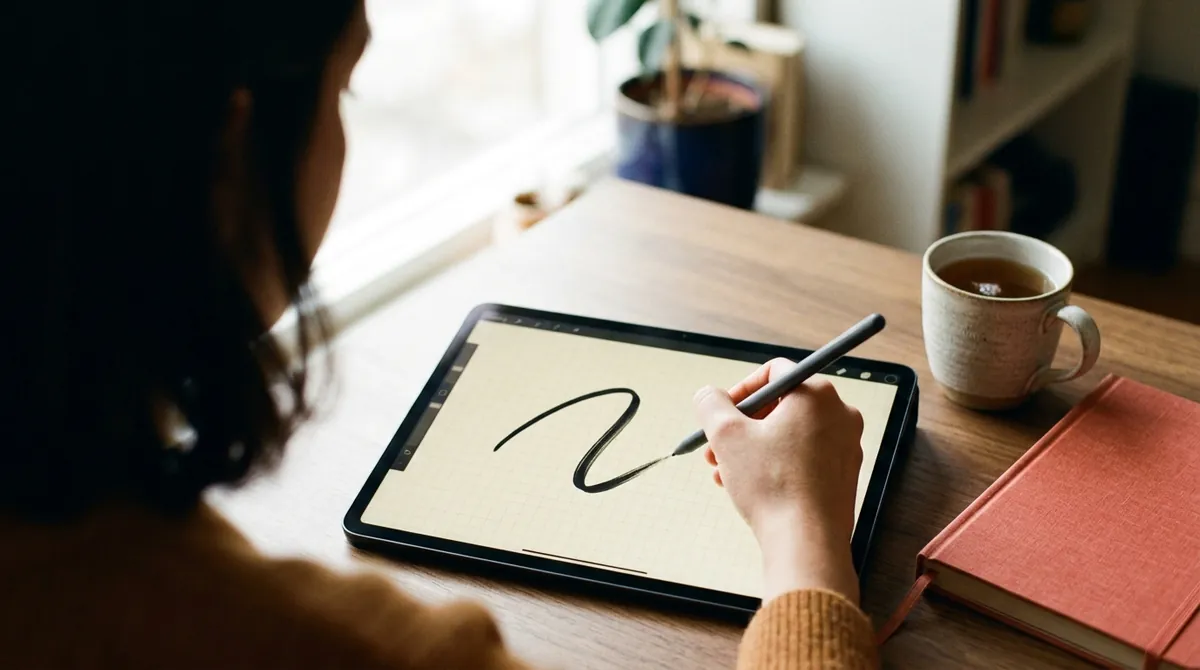
Skritter is worth paying for if you need to write Chinese characters by hand from memory, for a class with handwritten tests, a paper exam or because you want to, and you'll practise several times a week. It's the best app we know of for that one skill. Skip it if you only want to read and type Chinese: you can do both without handwriting, and cheaper tools cover reading and vocabulary. On Skritter's website a subscription costs $14.99 a month, $59.99 for six months or $99.99 a year, each with a 7-day free trial (prices checked 14 November 2026). Without paying you can study a small set of free decks for as long as you like, which is enough to find out whether writing on a screen suits you.
A word on bias: we make Mandarin Mosaic, a Chinese app that doesn't teach handwriting at all, so Skritter isn't a direct rival. It isn't ours, we earn nothing from it, and there are no affiliate links on this page. Prices, plans and features are from Skritter's website, terms and help pages, and from the US and UK App Store and UK Google Play listings, all checked on 14 November 2026. Several of the reviews that rank for Skritter were written in 2023 and quote $15.99 or "$15" a month; the monthly price on Skritter's site today is $14.99.
Skritter at a Glance
| Skritter | |
|---|---|
| What it is | A flashcard app where you write each character on the screen, stroke by stroke, and spaced repetition schedules the reviews |
| Who it suits | Learners who need or want to write characters by hand from memory |
| Languages | Chinese (Simplified, Traditional or both, with pinyin or zhuyin) and Japanese; one subscription covers both |
| Free | A guest mode with a small collection of free decks, with no time limit, and a 7-day free trial of the full app |
| Price (website) | $14.99 a month, $59.99 for 6 months, $99.99 a year |
| Platforms | The website, and apps for iPhone, iPad and Android, with offline study |
| App ratings | 4.7 out of 5 on the US App Store (827 ratings) and on Google Play in the UK (about 3,500 reviews) |
What Skritter Is
Skritter is a spaced repetition app built around handwriting. It shows you a word's meaning and pinyin, and you write the characters on the screen with a finger, a stylus or a mouse. It checks each stroke as you make it, so you find out straight away when a stroke is wrong or in the wrong order. Characters you get wrong come back sooner, and ones you know come back later.
What the current app does, from Skritter's own store listings and help pages:
- Four kinds of card. Writing, tones, readings (pinyin) and definitions. You can turn the writing cards off and use it as an ordinary vocabulary app, though that isn't what you'd pay Skritter's price for.
- Three writing modes. In the default mode each stroke snaps into place and you get hints when you're stuck. "Raw squigs" leaves your own strokes on the screen, more like pen and paper, and still checks them. "Rawest squigs" gives no hints and no automatic marking: you write the whole character from memory and grade yourself, as you would in a class test.
- Ready-made decks. Skritter's listing counts 700+ official decks: every HSK 2.0 level, HSK 3.0 levels 1 to 3, TOCFL lists, and popular textbook series chapter by chapter. There are also short video courses, including a 150-character beginner course, a deck of 100 common radicals and one on stroke order rules. You can make your own decks as well.
- Simplified and Traditional. Study either set or both, with pinyin or zhuyin (bopomofo).
- Chinese and Japanese. They're separate apps (Skritter: Write Chinese and Skritter: Write Japanese), and one subscription covers both.
- Website, phone and tablet. You can study in a browser, or in the iPhone, iPad and Android apps, including offline. Skritter's help pages say the iPad app works with an Apple Pencil.
- Links with other apps. Skritter's help pages describe integrations with Du Chinese, The Chairman's Bao, LingQ, Maayot and the MDBG dictionary, which send words you save there into a Skritter deck.
The app is still being developed: the App Store shows version 2026.10.2, released on 3 November 2026, with redesigned home, deck and progress screens.
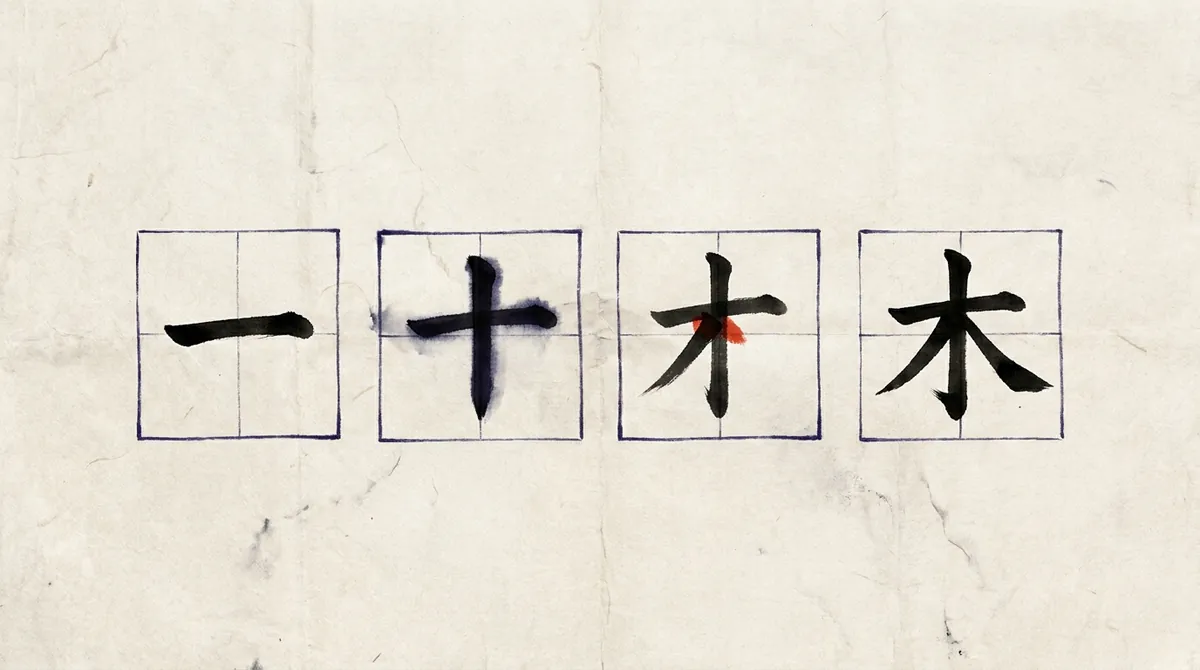
That's the idea behind the whole app. To write 木 (mù, tree) from memory you have to recall all four strokes and their order, which is a much harder test than recognising the character when you see it.
Skritter Prices in November 2026
Skritter sells one subscription, Skritter Premium, in three lengths. You can buy it on the website or inside the iPhone or Android app, and it unlocks the website and both apps.
| Plan | Website (US$) | US App Store | UK App Store |
|---|---|---|---|
| Guest mode | $0: a small collection of free decks, no time limit | ||
| 1 month | $14.99 | $14.99 | £13.99 or £14.99 |
| 6 months | $59.99 (about $10 a month) | $59.99 | £58.99 or £69.99 |
| 1 year | $99.99 (about $8.33 a month) | $99.99 | £92.99, £99.99 or £119.99 |
Prices checked 14 November 2026, at the time of writing, on Skritter's website, its terms of use, and the US and UK App Store listings.
The store prices need a warning. Each App Store listing shows several in-app purchases with the same name at different prices, and doesn't say which one you'll be offered. That's why the UK column has more than one figure. The US listing shows $14.99, $59.99 and $99.99 first, matching the website, but also lists a 1-month item at $9.99 and a 1-year item at $119.99; the UK listing also has a 1-month item at £9.99. The Google Play listing gives only a range, £9.49 to £114.99 per item in the UK. So check the price on the app's own subscription screen before you confirm, and compare it with the website, where the prices are stated plainly in US dollars.
- Free trial: 7 days on every website plan. Skritter's terms say you're charged automatically when the trial ends unless you cancel at least 24 hours before. We couldn't confirm from the store listings whether a subscription bought in the app has the same trial.
- Refunds: the terms promise a 30-day money-back guarantee on first-time purchases. That page was last updated in 2020, so if a refund matters to you, confirm it with Skritter ([email protected]) before you buy. Purchases made through Apple or Google are handled by Apple and Google.
- Renewal: every plan renews automatically for the same period until you cancel.
- Payment: the website takes cards and PayPal.
Which plan? Handwriting is slow to build, so one month won't show much. If the trial and the free decks convince you, the year is the sensible buy: it costs less than seven months at the monthly price. If you only need Skritter for one term of classes, six months is enough.
Is Skritter Free?
Partly. You can use Skritter without paying in two ways.
- Guest mode. Skritter's help pages say the newer apps have "a free guest experience": you can study certain decks without an account, free, with no time limit. They describe it as a small collection of free decks, and the app's deck library has a "Free" filter to find them. Skritter doesn't publish a list of which decks are free, so we can't tell you exactly what's included today.
- The 7-day trial. This opens everything, and it needs a subscription that you cancel in time.
Everything else needs Premium. Skritter's billing help page says that after you cancel you keep access to what you've already studied and to the free content, but you can't learn or review new cards, start new decks, make custom decks or edit definitions and mnemonics.
So the free version is a taster, not a way to learn to write for nothing. It's still worth using first: a few sessions will tell you whether you like writing with a finger on glass, which is the thing people either take to or don't.
What Skritter Does Well
- It tests real recall. You produce the whole character from nothing, and the app catches a missing or misplaced stroke. A normal flashcard can't tell whether you could have written it.
- Stroke order becomes a habit. Because every stroke is checked as you write, the standard order sinks in without you studying it as a separate subject.
- It grows with you. The three writing modes take you from guided strokes to writing unaided and marking yourself, which is close to writing on paper.
- The decks match what people study. HSK, TOCFL and textbook chapters are ready to use, so a student can practise this week's vocabulary list without typing it in.
- Traditional characters and zhuyin are properly supported, which matters if you're learning in or for Taiwan.
- It's well liked and still updated. It's rated 4.7 out of 5 on both the App Store and Google Play, and it had a redesign this month.
Where Skritter Falls Short
- It's a lot to pay for one skill. $99.99 a year is more than many full course apps cost, and Skritter doesn't teach grammar, listening or speaking. Other reviewers say the same. Olle Linge of Hacking Chinese, who discloses that he works with Skritter and earns from sign-up links, recommends it but accepts that some students will find the price steep. Discover Discomfort's review calls it good value only if you practise several times a week, and expensive if you use it casually.
- Handwriting takes a lot of time. Writing a character takes far longer than recognising one, so every hour in Skritter is an hour not spent reading or listening. The Discover Discomfort reviewer, who learned more than 2,500 characters with it, warns that it can turn into a hobby of its own.
- A screen isn't paper. Writing with a fingertip on a phone is not the same movement as writing with a pen, and in the default mode the app tidies your strokes for you. If you need neat handwriting on paper, you still have to practise on paper; the raw modes and a stylus on a tablet get you closer.
- Words come without much context. Cards are words and characters with example sentences attached. You don't learn how a word behaves by meeting it in many different sentences, so you need reading practice alongside.
- Reviews pile up. As with any spaced repetition app, a few missed days leave a backlog, and a backlog of writing cards is slower to clear than one of recognition cards.
- The free version is small, and the store prices are confusing, as the price section above shows.
Do You Need to Write by Hand at All?
For most self-taught learners, no. Chinese is typed by entering pinyin and picking the right characters from a list, so reading, messaging and typing need you to recognise characters, not to write them from memory. If that's all you want, the hours Skritter takes are better spent on reading and listening.
Handwriting is worth your time if:
- your class or exam has handwritten tests or dictation;
- you'll study or live somewhere you'll have to fill in forms and write notes by hand;
- you keep mixing up characters that look alike, and want to fix them in memory;
- you enjoy it. That's a good enough reason.
There's some evidence that it helps memory: in a 2011 study of people learning Chinese as a second language (Guan and colleagues, Journal of Educational Psychology), those who wrote characters by hand remembered their shapes and meanings better than those who only read them. A sensible middle path is to recognise first and hand-write only some characters: the most common ones and the ones you confuse. Our guide to handwriting in Chinese covers stroke order, practice paper and the mistakes learners make, and how to learn Chinese characters sets out the recognise-first method.
Skritter vs Anki, Pleco and Hack Chinese
| Skritter | Anki | Pleco | Hack Chinese | |
|---|---|---|---|---|
| Main job | Writing characters from memory | Flashcards of any kind | Dictionary | Recognising Chinese words |
| Checks your handwriting | Yes, stroke by stroke | No | No; it reads handwriting to look a character up | No |
| Price | $14.99 a month or $99.99 a year | Free, except the iPhone app ($24.99 once) | Free; paid add-ons bought once | $18 a month, or $12 a month billed yearly |
| Free trial | 7 days, plus free decks | Not needed | Not needed | 21 days |
Prices at the time of writing. Skritter's and Hack Chinese's are from their websites, the Anki iPhone app's from the US App Store and the Pleco add-on's from Pleco's online store, all checked 14 November 2026.
Skritter vs Anki
Anki is a general flashcard program: free on computers, the web and Android, with a one-off $24.99 for the iPhone and iPad app. It can hold any card you like, but it doesn't check handwriting. To practise writing with Anki you write the character on paper, turn the card over and mark yourself.
That works, and it costs nothing, but nobody tells you when a stroke is wrong, and you have to find or build the decks. Skritter does both for you. If writing is your main goal, Skritter is the better tool; if you mostly want to recognise words and only write now and then, Anki and a notebook are enough. Our guide to using Anki for Chinese covers the setup.
Skritter vs Pleco
These do different jobs, and most learners who use Skritter also use Pleco. Pleco is a dictionary. Its free version lets you draw a character to look it up and shows stroke order animations for common characters, and a paid Stroke Order Diagrams add-on ($3.99 once on Pleco's own store, at the time of writing) covers many more. Its paid flashcard add-on reviews the words you look up.
What Pleco doesn't do is teach you to write: its handwriting feature recognises what you draw so it can find the character, and it doesn't mark your strokes. To check how a character is written, Pleco is plenty. To drill writing it from memory, you need Skritter or paper. Skritter's help pages say there's no official link between the two yet; you export your Pleco bookmarks as a text file and paste them into a Skritter deck. Our Pleco review explains which add-ons are worth buying.
Skritter vs Hack Chinese
Hack Chinese is the nearest thing to Skritter without the writing: a spaced repetition service for Chinese words, with ready-made lists for HSK and textbooks. It costs $18 a month, or $12 a month billed yearly ($144 a year), after a 21-day trial that needs no card. Its own pricing page answers "Will I learn to hand-write characters?" with a plain "No", on the grounds that most people now write by typing pinyin.
So the choice is simple. If you want to write by hand, Hack Chinese can't help and Skritter can. If you only want to recognise words, Skritter with the writing cards switched off would do it, at a lower yearly price than Hack Chinese, but it's built for writing and the others are built for recognition. Our comparison of Hack Chinese vs Anki covers the recognition-only options.
Free and Cheaper Alternatives
- Our stroke order tool (free). The Chinese stroke order tool animates about 4,000 characters, Simplified and Traditional, on a practice grid, and has a Practise mode where you trace the character with a finger or mouse and it shows you where a stroke goes after two misses. It has no decks, no accounts and no spaced repetition, so it replaces Skritter for looking characters up and trying them, not for a daily review routine.
- Pleco. Free stroke order animations for common characters, and the one-off add-on above for the rest. You watch them; nothing marks your writing.
- Paper. Squared practice paper (田字格, tiánzìgé) and a pen cost almost nothing, and paper is where you'll write in an exam. Look the stroke order up, write the character a few times, then write it again from memory the next day. Pair it with any flashcard app that tells you which words are due.
- Learning the parts. Characters are easier to write once you know their components. Our Chinese radicals chart and the guide to radicals in Chinese are free.
Where Mandarin Mosaic Fits
We make Mandarin Mosaic, so weigh this accordingly. It isn't an alternative to Skritter for writing: it has no handwriting practice of any kind. It covers the other side, reading and vocabulary. It teaches through whole sentences that each bring in one new word where possible, you tap a word for its meaning and audio, and spaced repetition brings words back for review. It has HSK-levelled lessons and a graded Chinese articles reader, and every built-in sentence is checked by a native speaker. It's on iPhone and Android only. You start on a limited free plan (one lesson a day), and Premium's first month is free.
The two fit together if you want both skills: learn words in sentences there, then write the handful of characters you most want to remember, in Skritter or on paper.
How to Cancel a Skritter Subscription
Cancel where you subscribed. Deleting the app or your Skritter account doesn't stop a store subscription.
- On Skritter's website: log in at skritter.com, open your account settings and go to the Subscription page. Skritter's payments help page says that page shows when your plan renews or expires and lets you change or cancel it.
- On an iPhone or iPad (App Store): Skritter's mobile billing page says to open the App Store, tap your profile picture at the top right, choose Subscriptions, find Skritter and turn off renewal.
- On Android (Google Play): open the Play Store app, go to Subscriptions (under your profile picture, then Payments & subscriptions, in the current app), choose Skritter and cancel.
To end a free trial without paying, cancel at least 24 hours before it runs out, the margin Skritter's terms give. Skritter's billing page says a lapsed account can still open the content it has already reviewed and the free decks, so cancelling doesn't wipe your progress.
Frequently Asked Questions
How Much Does Skritter Cost?
On Skritter's website, $14.99 a month, $59.99 for six months or $99.99 a year, at the time of writing (checked November 2026), each with a 7-day free trial. Prices inside the iPhone and Android apps can differ by country, so check the app's subscription screen before you buy.
Is Skritter Free?
Only in part. A guest mode lets you study a small collection of free decks with no time limit, and new subscribers get a 7-day free trial. Learning from the other decks, making your own decks and reviewing new cards all need a paid subscription.
Is Skritter Good?
For learning to write characters by hand, yes: it checks every stroke, schedules reviews with spaced repetition and has decks for HSK, TOCFL and popular textbooks. It isn't a full course, so it doesn't teach grammar, listening or speaking, and it's poor value if you don't need handwriting.
Is Skritter Better Than Anki?
For handwriting, yes, because Anki can't check what you write. For recognising words, Anki does the job free on most devices, though it takes more setting up. Many learners use Anki or another app for vocabulary and Skritter only for writing.
Does Skritter Work for Traditional Characters?
Yes. You can study Simplified, Traditional or both, with pinyin or zhuyin (bopomofo), and it has TOCFL decks as well as HSK ones.